
Social video guide
Smartphone Filming Tips
Social Video Hub | Smartphone Filming Tips
Filming high-quality videos with your iPhone has never been easier thanks to the powerful camera technology and user-friendly features available on current models. Understanding the best practices for shooting on your iPhone can significantly elevate your results. With the right approach, your iPhone can be a versatile and effective tool for capturing stunning footage.
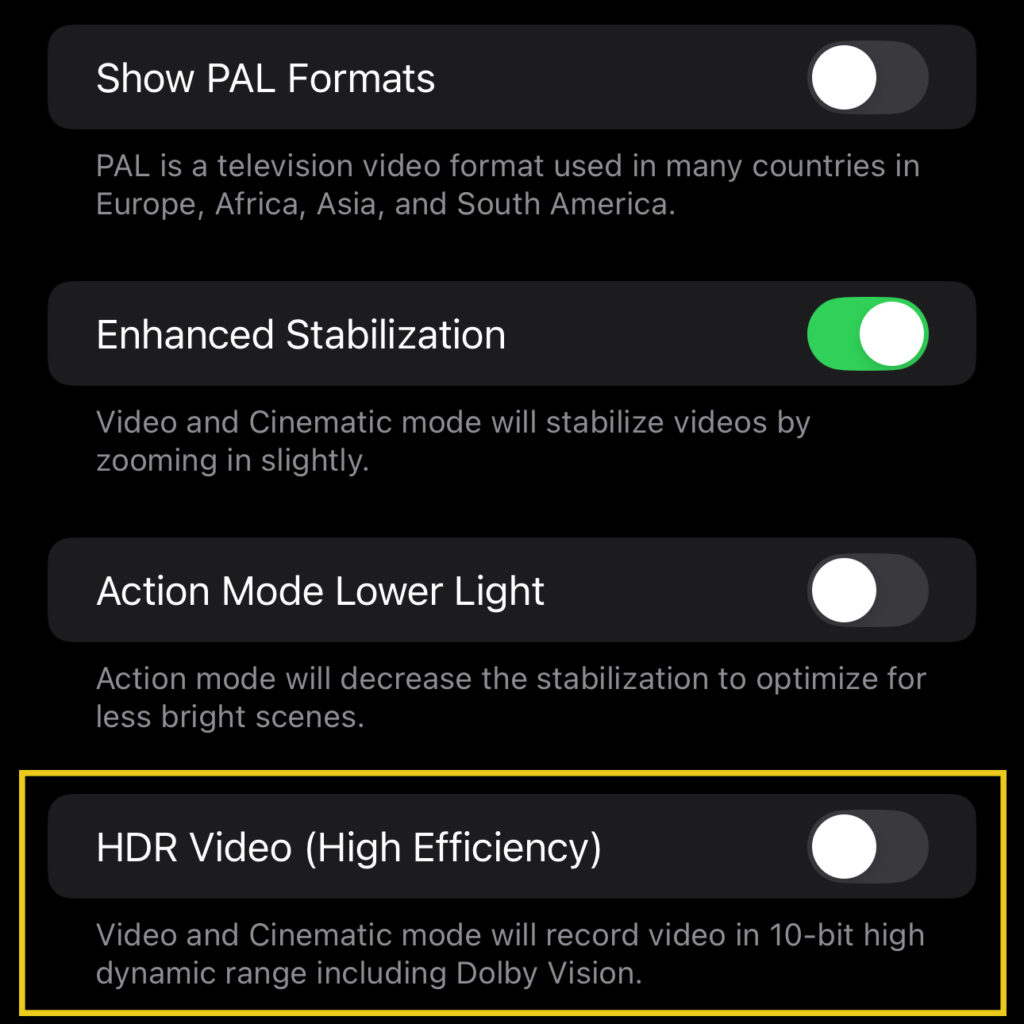
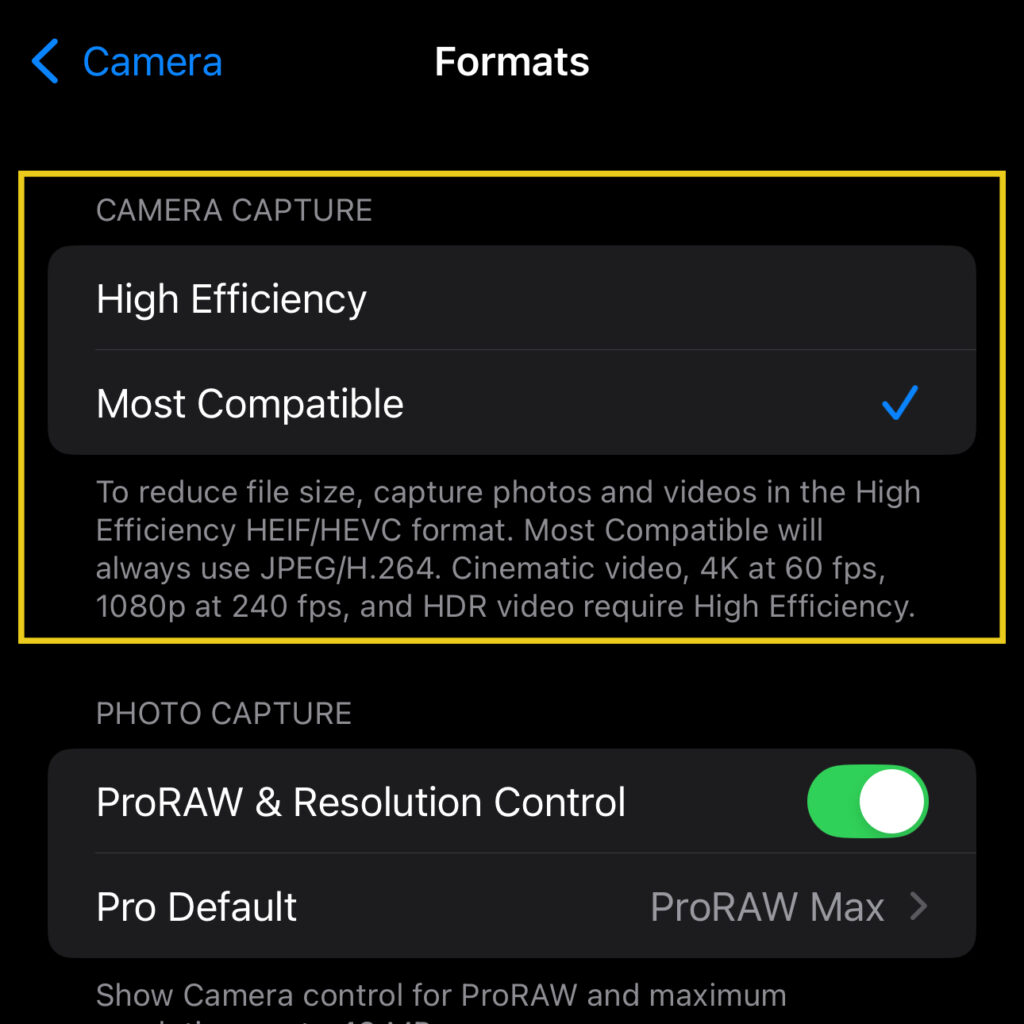
iPhone Users: To avoid issues when editing, it's recommended to turn off both HDR recording and varible rate settings.
To turn off HDR (High Dynamic Range) mode on a current iPhone:
To turn off Variable Frame Rates on a current iPhone:
Best Practices
Stabilize Your Shot
Lighting
Audio
Sharing
Examples and links
 HDR Video
 Non HDR Video
 Reference image
 Reference image